

CANLAB SOFTWARE
Cost-effective bus analysis software for CAN and LIN networks supporting various industry standards
CANLab is a network analysis tool for CAN and LIN bus networks. It supports a variety of hardware interfaces and industry-standard databases, enabling users to view network activity, send and receive signals and messages, record and replay data, manipulate and analyze data, and check statistics in real time.

Icon Caption
At a Glance
Real-Time Network Analysis
Monitor CAN, CAN FD, and LIN traffic with configurable trace views, filtering, diagnostics, and message decoding
Message Transmission & Replay
Send custom messages, create transmission sequences, and replay recorded traffic for validation and troubleshooting
Logging & Data Capture
Record messages and signals with manual or trigger-based control for diagnostics and testing
Visualization & Post Analysis
Analyze live and recorded data using graphical displays, customizable layouts, and advanced analysis tools
Calculated Channels
Create derived measurements and engineering values from existing network signals
Scripting & Automation
Automate testing and analysis workflows with an integrated C#-style scripting engine
Hardware Compatibility
Supports ATI CANary/CANary FD, ATI branded Kvaser, supported Kvaser CAN/LIN, and select supported Vector CAN interfaces
Database & Protocol Support
Work with CAN DBC, LIN LDF, and optional J1939 protocol toolkits
CANLab provides a complete software environment for engineers, developers, and technicians working with CAN, CAN FD, and LIN networks. It brings together real-time bus monitoring, message transmission, logging, replay, post-analysis, graphical displays, protocol decoding, and scripting in one application.
CANLab is built for users who need to understand what is happening on a vehicle or embedded network, validate module behavior, troubleshoot communication issues, and automate repeatable test workflows. Message patterns can be highlighted to aid bus traffic review, and recorded or live signals and statistics can be graphed and analyzed simultaneously.

Why CANLab
CANLab helps teams move from raw bus traffic to useful engineering insight. Instead of switching between separate tools for trace viewing, message sending, data recording, replay, graphing, scripting, and post-analysis, CANLab combines these workflows into one environment.
Key Benefits
-
Analyze CAN, CAN FD, and LIN network activity in real time.
-
Record messages and signals, then replay data for diagnostics and validation.
-
Send predefined, custom, individual, grouped, and trigger-driven messages.
-
Customize trace and post-analysis views to focus on the signals, timestamps, messages, and patterns that matter.
-
Create calculated channels without writing scripts, with built-in math functions and DLL-based extension support.
-
Automate workflows with included C#-style scripting.
-
Work with a range of ATI, Kvaser, and select Vector hardware interfaces.
What’s New in CANLab 5.4
Enhanced Performance for Large MDF4 Files
Further optimization of the 64-bit architecture improves responsiveness when working with extremely large, multi-channel recordings.
VDAP project workflows have been expanded to improve overlay preservation, partial exports, and collaborative data sharing.
Expanded Cursor & Interaction Capabilities
Enhancements to layout configuration, graph management, and multi-page workflows provide greater flexibility for organizing complex data views.
VDAP project workflows have been expanded to improve overlay preservation, partial exports, and collaborative data sharing.
Cursor & Marker Enhancements
Improvements to floating cursor windows, marker visualization, and interaction behavior increase precision and usability during detailed signal analysis.
VDAP project workflows have been expanded to improve overlay preservation, partial exports, and collaborative data sharing.
Project File & Sharing Improvements
VDAP project workflows have been expanded to improve overlay preservation, partial exports, and collaborative data sharing.
VDAP project workflows have been expanded to improve overlay preservation, partial exports, and collaborative data sharing.
GPS Visualization
Continued development of API support enhances automation for MDF4 data, markers, metadata, and file export operations.
VDAP project workflows have been expanded to improve overlay preservation, partial exports, and collaborative data sharing.
See CANLab in Action
See how CANLab helps engineers monitor, record, transmit, replay, and analyze CAN, CAN FD, and LIN network traffic from a single integrated environment. This demonstration showcases the software's real-time trace capabilities, message transmission tools, graphical analysis features, calculated channels, and scripting functionality used throughout development, diagnostics, and validation workflows.
Whether you're troubleshooting communication issues, simulating network activity, validating controller behavior, or automating test procedures, CANLab provides the visibility and control needed to better understand and manage vehicle and embedded networks.

Complete CAN, CAN FD, and LIN Analysis Environment
CANLab combines real-time network monitoring, message transmission, data logging, replay, graphical analysis, calculated channels, and automation tools into one integrated software environment. Engineers can move from live diagnostics to recorded analysis and automated testing without switching between separate applications.
Supported Technologies Include
-
CAN
-
CAN FD
-
LIN
-
CAN DBC files
-
LIN LDF files
-
J1939 Toolkit support
-
Import/export of multiple log file formats
Real-Time Network Monitoring
CANLab provides real-time visibility into CAN and LIN traffic with configurable trace views, message decoding, filtering, highlighting, and live statistics. Engineers can quickly isolate communication issues, identify abnormal traffic patterns, and focus on the signals and messages that matter most during development and troubleshooting.
Key Capabilities
-
Real-time CAN, CAN FD, and LIN monitoring
-
Fixed or scrolling trace modes
-
Expandable decoded signal values
-
Message filtering and search
-
Bus statistics and diagnostics
-
Highlighting by:
-
Message ID
-
Value ranges
-
Transmitted messages
-
Extended identifiers
-
Additional message properties
-


Capture and Reproduce Network Behavior
CANLab supports recording live bus traffic, signal logging, trigger-based recording control, and replay of previously captured network activity. This enables teams to capture critical events during testing, reproduce field issues, validate controller behavior, and create repeatable diagnostic workflows.
Key Capabilities
-
Start/stop message logging and signal recording directly from CANLab tabs
-
Trigger-controlled logging and recording
-
Replay previously recorded CAN traffic
-
Replay recorded vehicle or module behavior
-
Simulate missing or unavailable network nodes
-
Time-align replayed and live data
Send, Sequence, and Automate Messages
CANLab supports active interaction with the network through manual transmission, grouped sequences, trigger-based events, and simulation workflows. Engineers can interact directly with the network for debugging, validation, ECU testing, gateway unlocking, and protocol verification.
Capabilities
-
Send predefined messages
-
Send custom-defined CAN messages
-
Group messages into sequences
-
Trigger message transmission automatically
-
Simulate network activity and controllers
-
Support gateway unlocking and diagnostic workflows
Analyze Recorded and Live Data Efficiently
CANLab provides multiple ways to visualize and analyze signals, messages, and calculated values from both live and recorded sessions. Customizable displays help transform large amounts of bus data into usable engineering insight while making it easier to identify trends, correlations, and abnormal behavior.
Visualization Features
-
Dials and gauges
-
Strip chart recorder
-
Simultaneous live and recorded signal viewing
-
Time-aligned signal comparison
-
Graphical statistics viewing
Post-Analysis Features
-
Raw or converted signal values
-
Absolute or relative timestamps
-
Configurable columns and layouts
-
Trend arrows
-
Message highlighting customization
-
Color, font, and formatting controls
Generate Additional Signals Without Scripting
CANLab allows users to create calculated channels directly from existing bus data, extending analysis capabilities without modifying the original network or source data. Engineers can derive additional measurements and diagnostic values using built-in math functions or user-defined DLL functions.
Key Capabilities
-
Create derived signals from recorded or live channels
-
Built-in math functions
-
DLL-based user function support
-
Preserve original source data while adding calculated outputs
Applications
-
Vehicle acceleration calculation
-
Distance calculations
-
Derived diagnostic values
-
Custom engineering calculations
Automate Complex Test and Analysis Workflows
CANLab includes a scripting engine based on C# syntax for automation, event handling, and reusable test execution. Scripts can automate repetitive tasks, respond to real-time events, and help standardize testing procedures across engineering teams.
Visualization Features
-
Native CANLab script execution
-
Syntax highlighting and editing tools
-
Event-driven scripting:
-
On Message Received
-
On Signal Received
-
On KeyPress
-
On Timer
-
Script sharing between teams
-
Real-time script response
Designed for Flexible Integration
CANLab supports a range of ATI and third-party interfaces for CAN and LIN analysis applications, helping teams integrate the software into existing workflows without replacing current hardware investments.
Database & Protocol Support
-
CAN DBC support
-
LIN LDF support
-
J1939 Toolkit available
-
NMEA2000 and ISOBUS support through J1939 Toolkit
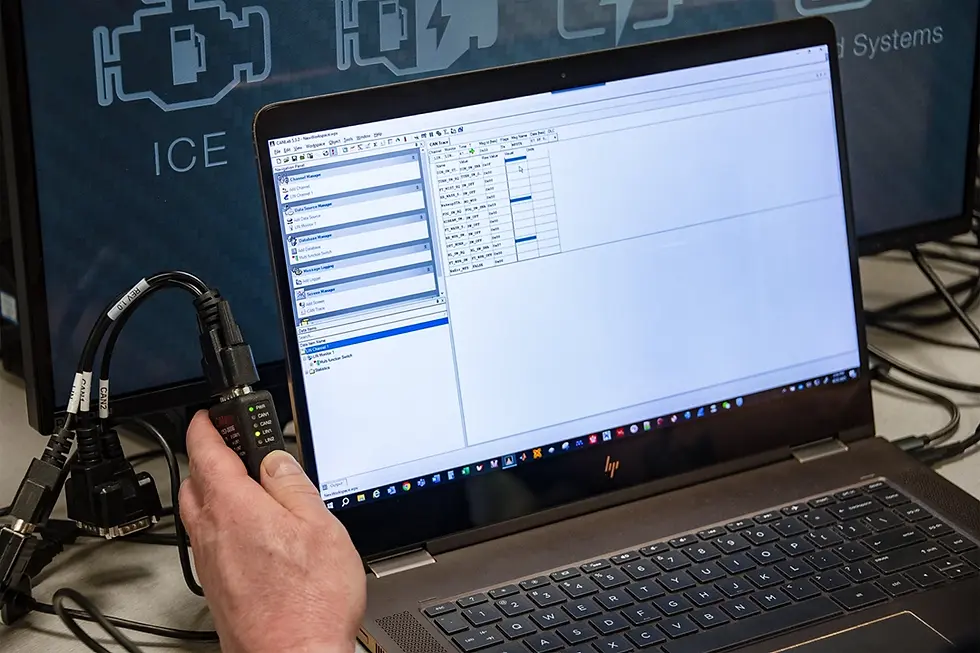
Compatible Hardware
Select from common CAN, CAN FD and LIN interfaces on the market. Also, import and export database and log files of various formats.


Select 3rd Party Products
ATI's CANLab software is compatible for select 3rd party products.
Contact our Sales Team to see if your hardware is compatible.
Flexible Subscription Licensing
VDA is a software product that uses a subscription-based licensing model designed to meet the needs of modern engineering teams.
Monthy Subscription
Flexible access with no long-term commitment. Ideal for short-term use or changing project needs.
Annual Subscription
Lower cost option for ongoing use with a 12-month commitment.
Optional VISION Enterprise capabilities will be offered separately as part of the upcoming platform release.
Software Requirements
Any modern PC with a supported Windows operating system has the capability to run CANLab. However, the user experience will vary based on the performance of the PC. Whether a particular PC configuration will provide acceptable performance with CANLab depends on how CANLab is used at your company. The best approach when selecting a PC to run CANLab would be to obtain a sample of a potential PC and test it under real-world conditions at your company.
All specifications are subject to change without notice.
Related Articles


